
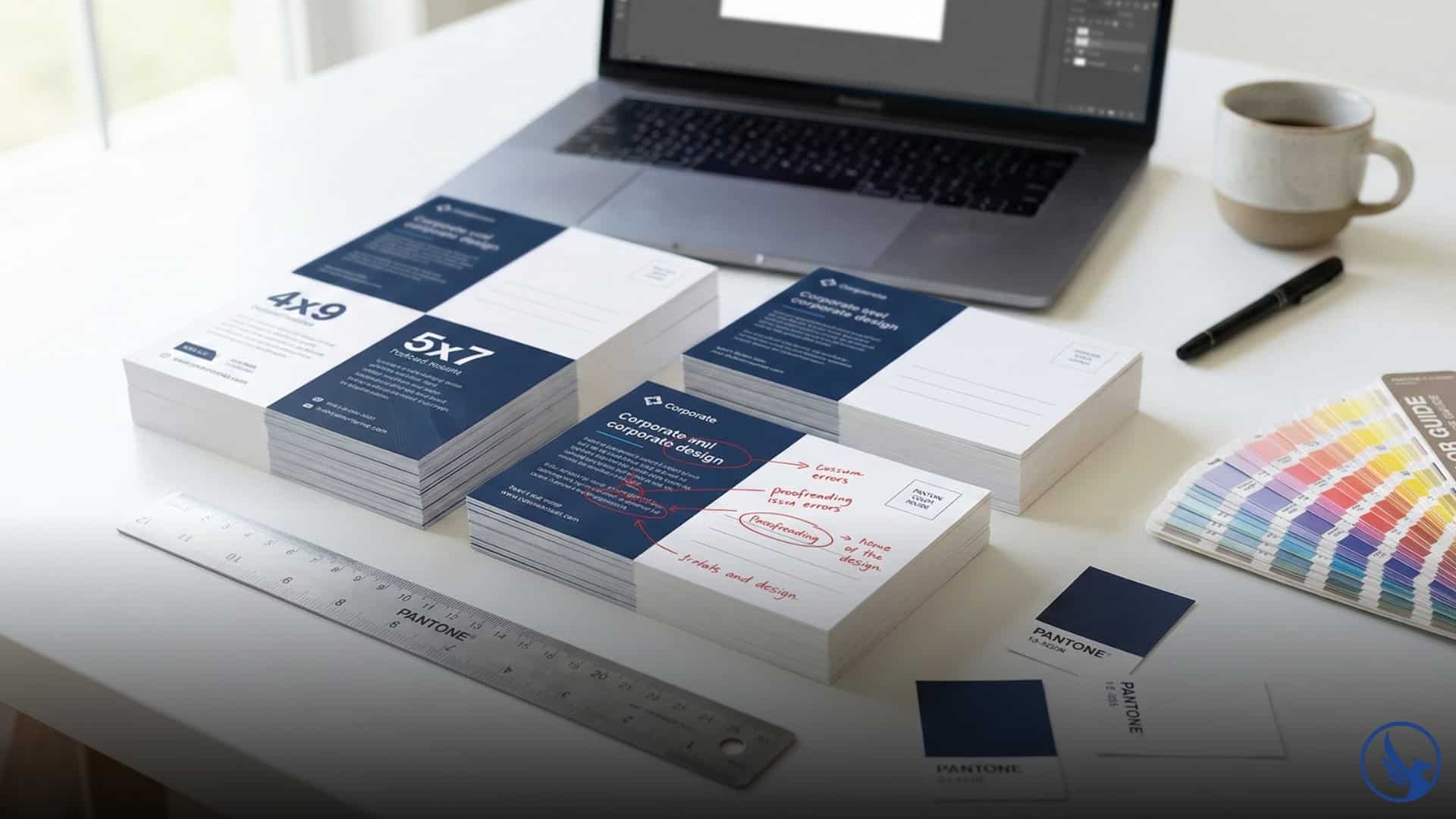
Your postcard made it through printing, survived USPS® sorting, and landed in the right mailbox—then got tossed in three seconds because the design screamed “junk mail.” Even with perfect targeting and compelling offers, postcard design mistakes to avoid can sink entire campaigns before anyone reads your headline. In 2026, direct mail to prospect lists still converts at 4.9% according to the ANA (formerly DMA) 2018 Response Rate Report when designed correctly, but one layout flaw or color choice can drop that to zero. This guide walks through the ten design mistakes that kill postcard response rates and exactly how to fix them before you hit print.
⚠️ 10 Design Mistakes That Kill Postcard Response Rates
Even with perfect targeting and offers, these common design flaws can drop your 4-5% response rate to zero:
Mistake #1: Cluttered Layouts With No Visual Hierarchy
The biggest killer of postcard campaigns isn’t bad offers—it’s trying to say everything at once. Cramming multiple messages, three phone numbers, five bullet points, two QR codes, and four calls to action into 30 square inches creates visual noise. Recipients glance at clutter and assume there’s nothing important to read.
Visual hierarchy means guiding the eye through your postcard in a deliberate sequence: headline first, supporting image second, body copy third, call to action last. Without hierarchy, everything competes for attention and nothing wins.
How to fix it: Pick one primary message per postcard. Real estate agents don’t need to advertise listings, market stats, testimonials, and free home valuations on the same card. Choose one. Design the postcard around that single goal. Use size, color, and placement to create a clear reading path: large headline at top, image in the middle, call to action at bottom. White space isn’t wasted space—it’s breathing room that makes your message readable.
Professional designers follow the “one glance rule.” If recipients can’t identify your offer and the action you want them to take within one glance (2–3 seconds), the design fails. Simplify until you pass this test.
Mistake #2: Tiny, Unreadable Font Sizes
Postcards get read at arm’s length while walking from the mailbox to the house. If your body copy is set in 8-point font, nobody’s reading it. Aging demographics make this worse—nearly 100% of adults over 45 experience presbyopia (age-related farsightedness) requiring reading glasses, according to the American Academy of Ophthalmology, and they’re not putting them on for a postcard.
Body copy below 10 points becomes a chore to read. Headlines below 18 points don’t register as headlines. Contact information in 6-point type might as well not exist.
How to fix it: Set body copy at 11–12 points minimum. Make headlines 24–36 points depending on postcard size. Contact information should be 10–12 points, legible without squinting. If you’re struggling to fit your message at readable sizes, the problem isn’t font size—it’s too much copy. Cut the word count, not the font size.
Contrast matters as much as size. Black text on white background is maximally readable. Gray text on light blue background might look elegant on screen but becomes illegible in mailbox lighting. Test readability by printing a proof and viewing it in natural light at arm’s length.
Mistake #3: Poor Color Choices That Hurt Readability
Brand colors don’t always translate to effective postcard design. A company with navy blue and gold branding might create a gorgeous postcard for their website header, but that same design fails in direct mail if the navy is too dark and the gold doesn’t contrast enough with white paper.
Postcard design mistakes to avoid include: light text on light backgrounds, dark text on dark backgrounds, neon colors that vibrate, and pastel schemes that disappear in a stack of mail. Color psychology matters, but readability matters more.
How to fix it: Use high-contrast color combinations. Dark headline on light background, or reverse (light headline on dark background). Avoid mid-tone-on-mid-tone combinations—they blend together. Test your design by printing it and placing it in a stack of mail. If your postcard doesn’t stand out visually within one second, adjust your colors.
Stick to three colors maximum (plus black and white). More than three creates visual chaos. If your brand palette is complex, simplify for direct mail. Pick the two most recognizable brand colors and build your postcard around those.
Restaurant postcards benefit from warm colors (reds, oranges, yellows) that trigger appetite. Medical and dental postcards benefit from cool, trustworthy colors (blues, greens). Real estate postcards benefit from neutrals with one accent color for calls to action.
Mistake #4: Weak or Missing Headlines
Your headline is the filter that determines whether recipients read further or toss your postcard immediately. Generic headlines like “Special Offer Inside” or “We’re Here to Help” say nothing specific and generate zero interest.
Headlines that fail: vague promises, company-centric language, feature lists without benefits. Headlines that work: specific outcomes, problem-solution framing, urgency or scarcity, quantified results.
How to fix it: Write headlines that answer “What’s in it for me?” from the recipient’s perspective. Instead of “Professional Dental Services,” write “Teeth Whitening: $99 Through March (Reg. $299).” Instead of “New Restaurant Now Open,” write “Free Appetizer With This Postcard—Dine-In Only.”
Test your headline by showing it to someone unfamiliar with your business for two seconds. Ask them what the postcard is offering and what action they’re supposed to take. If they can’t answer both questions, rewrite the headline.
Numbers strengthen headlines, as demonstrated in direct mail statistics. “Save Up To 40%” is stronger than “Big Savings.” “Sell Your Home in 30 Days” is stronger than “Fast Home Sales.” Specific deadlines (“Expires March 15”) outperform vague urgency (“Limited Time”).

Mistake #5: Stock Photos That Scream Generic
Stock photography isn’t inherently bad, but lazy stock photo selection kills authenticity. A real estate postcard showing a couple holding house keys in front of a generic suburban home looks like every other real estate postcard. Dental postcards with stock images of impossibly white smiles fail to differentiate the practice.
Recipients recognize stock imagery instantly. It signals that you didn’t invest in real photography, which subconsciously suggests you won’t invest in real service. For design inspiration with authentic imagery, see these real estate examples.
How to fix it: Use original photography whenever possible. Real estate agents should photograph their actual listings or themselves in front of sold properties. Restaurants should photograph their actual dishes and dining room. Salons should photograph real clients (with permission) showing real results.
If you must use stock photos, choose images that don’t look staged. Avoid clichéd poses (handshakes, people pointing at laptops, diverse groups high-fiving). Look for candid-style stock photography with genuine expressions and realistic settings.
Better yet, skip faces entirely for some industries. Product-focused postcards (restaurants showing food, gyms showing equipment, home services showing finished projects) often outperform people-focused designs because the product itself tells the story.
Mistake #6: Burying the Call to Action
A postcard without a clear call to action is a missed opportunity. Telling recipients your services exist isn’t enough—you need to tell them exactly what to do next and why they should do it now.
Common mistakes: placing the CTA in small text at the bottom, using weak action language (“Contact us to learn more”), offering no incentive, creating friction (requiring recipients to visit a website to get a phone number).
How to fix it: Make your call to action prominent, specific, and easy. Use action verbs: “Call today,” “Visit this week,” “Scan for instant quote,” “Show this postcard for 20% off.” Place the CTA in a contrasting color box or button so it stands out visually. Check out effective restaurant CTA examples.
Include multiple response options but emphasize one primary action. A restaurant postcard might include a QR code, phone number, and address, but the primary CTA is “Reserve Your Table—Scan Here.” A dental postcard might list phone, website, and address, but the primary CTA is “Call Now: New Patients Get Free X-Rays.”
Add urgency or scarcity when truthful. “Expires March 31” performs better than “Limited time.” “First 50 appointments” performs better than “New patients welcome.” Specificity creates urgency.
Mistake #7: Ignoring the Back of the Postcard
The front of your postcard grabs attention. The back closes the sale. Yet many businesses treat the back as an afterthought—blank except for the mailing address and a tiny logo.
The back of your postcard is premium real estate. Recipients flip postcards instinctively. Wasting that space means losing half your message capacity.
How to fix it: Use the back for supporting details, testimonials, FAQs, or secondary offers. Real estate postcards can show agent credentials and recent sales on the back. Restaurant postcards can include a menu preview or chef bio. Service businesses can list benefits, guarantees, or customer reviews.
Keep one-third of the back clear for address, postage, and USPS® requirements per official USPS design standards. Use the remaining two-thirds strategically. If the front makes a bold claim (“We’ll sell your home in 30 days”), the back should support it with proof (testimonials, sold data, process explanation).
Design the back as a continuation of the front, not a separate entity. Use the same color scheme, fonts, and visual style. The postcard should feel cohesive when recipients flip it over.
Mistake #8: Design Files Without Bleed and Safe Zones
Printers trim postcards after printing. If your design extends to the exact edge of the postcard dimensions with no bleed allowance, you’ll end up with white borders or cut-off elements. This is one of the most common technical postcard design mistakes to avoid.
Bleed is the area beyond the trim line where your design extends. Safe zone is the area inside the trim line where critical elements (text, logos, phone numbers) must stay. Ignoring either creates disaster at print time.
How to fix it: Add 0.125″ (1/8 inch) bleed on all sides per USPS postcard design specifications. If your postcard is 5″ × 7″, design it as 5.25″ × 7.25″. Extend background colors, images, and decorative elements into the bleed area.
Keep all text, logos, QR codes, and important visual elements at least 0.25″ (1/4 inch) inside the trim line. This safe zone protects against slight cutting variations during printing.
Set up your design files correctly from the start. Most print shops provide templates with bleed and safe zone guides already marked. Use them. Fixing bleed issues after the fact means redesigning elements and potentially delaying your mailing schedule. For professional printing with correct specifications, request a quote at CRST.NET for templates and technical support.
Mistake #9: Forgetting Mobile-Optimized QR Codes
QR codes are direct mail’s bridge to digital conversion. Done right, they eliminate friction—recipients scan and land on a booking page, menu, estimate form, or promotional offer. Done wrong, they frustrate recipients and kill conversions.
Common QR mistakes: codes too small to scan reliably, codes landing on non-mobile-optimized websites, codes requiring too many clicks to reach the offer, codes with no context (“Scan here” with zero explanation of what happens next). See QR code design examples that work.
How to fix it: Size QR codes at least 1″ × 1″ for reliable scanning per print industry QR code standards. Test them with multiple phone cameras (iPhone, Android, older models) before printing thousands of postcards. If your code fails to scan consistently, increase the size.
Link QR codes directly to mobile-optimized landing pages. Not your homepage—a specific page that matches the postcard offer. A restaurant postcard offering “Free appetizer” should link to a page showing the menu, explaining the offer, and enabling reservations. A real estate postcard should link to the specific listing or a home valuation form.
Add context next to the QR code: “Scan for instant quote,” “Scan to see full menu,” “Scan to book your appointment.” Explain the benefit of scanning. Generic “Scan here” language doesn’t motivate action.
Mistake #10: Skipping the Proof Print Test
Design looks different on screen than in print. Colors shift. Text sizes shrink. What looked readable at 100% zoom on a 27-inch monitor becomes illegible on a 4″ × 6″ postcard. Skipping the proof print is gambling with your campaign budget.
The most expensive postcard design mistakes to avoid are the ones you discover after printing 5,000 pieces. A missing phone number. A typo in the web address. An image that looked sharp on screen but prints pixelated. A color that looked navy blue on your monitor but prints purple on cardstock.
How to fix it: Always order proof prints before full production runs. Print a handful of postcards on the actual paper stock you’ll use for the campaign (14 pt cardstock, gloss or matte finish). View them in natural lighting, not just under office fluorescents.
Test readability at arm’s length. Check color accuracy against your brand standards. Verify that QR codes scan correctly. Proofread every word—twice. Have someone unfamiliar with the project review it for errors you’ve become blind to.
Place your proof postcard in a real mailbox with other mail. Does it stand out? Is the headline readable from a quick glance? Would you read this postcard if you received it? If the answer is no, redesign before printing.
Budget time for proofs. Rush-printing without proofs to meet a deadline inevitably costs more than the time you saved when you have to reprint 5,000 unusable postcards.
Real-World Cost of Design Mistakes
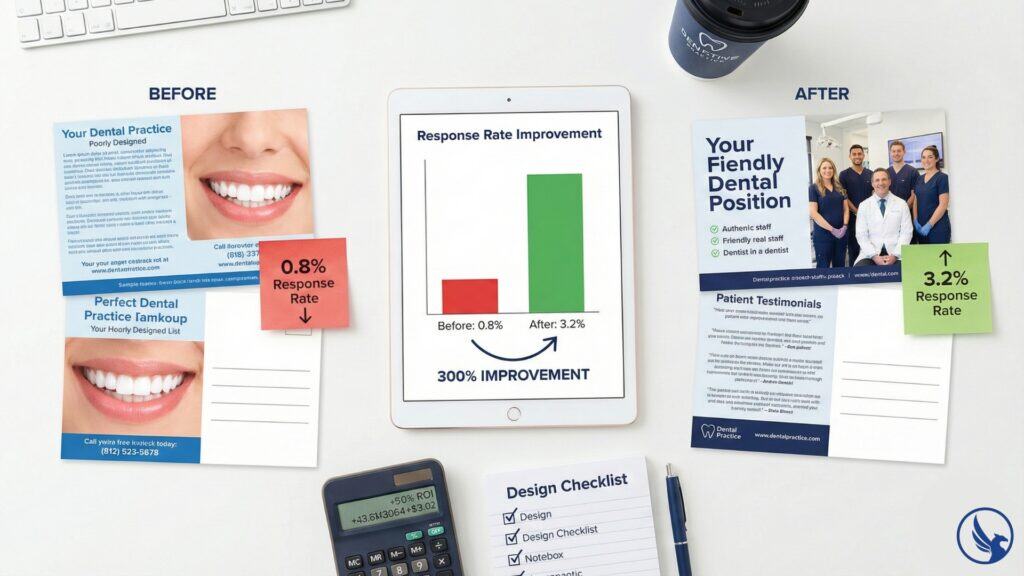
A regional dental practice printed 10,000 postcards advertising a new patient special: free cleaning and X-rays, $200 value. The headline was clear. The offer was strong. Response rate was 0.8%—below the 2–3% industry average for dental mail.
The problem wasn’t targeting or postage. It was design. Body copy was set in 9-point font. The phone number was in 8-point gray text at the bottom. The stock photo showed a model with unrealistic veneers. The back of the postcard was blank except for the address.
They redesigned: 12-point body copy, 14-point phone number in a colored box, original photography of their actual office and staff, testimonials on the back. Same offer, same mailing list, new design. Response rate jumped to 3.2%—a 300% improvement<!– EDITOR: Results vary by market, list quality, and execution –>. Cost to redesign: $400. Cost of the original mistake: 80 lost appointments.
Physical mail’s effectiveness is well-documented—USPS neuromarketing research shows that tangible mail requires 21% less cognitive effort to process than digital media and generates higher brand recall. But postcard design mistakes to avoid aren’t aesthetic preferences. They’re mathematical conversion killers. Every flaw compounds. Cluttered layout plus tiny fonts plus weak headline plus buried CTA doesn’t give you four small problems—it gives you zero response.
Design Checklist Before You Print
Run through this checklist before approving any postcard design:
Visual hierarchy: Can recipients identify your main message in 2–3 seconds?
Readability: Is body copy at least 11 points? Headlines at least 24 points?
Color contrast: Do text and background have high contrast in natural lighting?
Headline strength: Does your headline answer “What’s in it for me?” with specificity?
Original imagery: Are you using real photos or distinctive stock images?
Call to action: Is the CTA prominent, specific, and easy to follow?
Back utilization: Are you using the back of the postcard strategically?
Bleed and safe zones: Are design files set up with proper bleed and safe zones?
QR code testing: Do QR codes scan reliably and link to mobile-optimized pages?
Proof prints: Have you ordered and reviewed physical proofs on actual paper stock?
If you can’t answer yes to every question, pause before printing. One design flaw can cost you 50% of your response rate—or all of it.
Start Your Postcard Campaign With Design That Converts
Avoiding postcard design mistakes to avoid isn’t about perfection—it’s about eliminating the fatal flaws that kill campaigns before they start. Readable fonts, clean layouts, strong headlines, clear calls to action. These aren’t creative flourishes. They’re response rate fundamentals.
Design your postcards for the mailbox, not the design award. Test with real prints, not screen previews. Focus on one message, not twelve. The businesses winning with direct mail in 2026 aren’t the ones with the prettiest postcards—they’re the ones with the clearest, most actionable designs.
Ready to avoid costly design mistakes? Request a quote at CRST.NET for professional postcard design services, print-ready templates, and expert review before you print. Our team ensures your postcards are optimized for maximum response rates with correct specifications, readable layouts, and conversion-focused design.
For the complete breakdown, see our Postcard Printing and Mailing Services Guide for design templates, print specs, and conversion optimization strategies.