
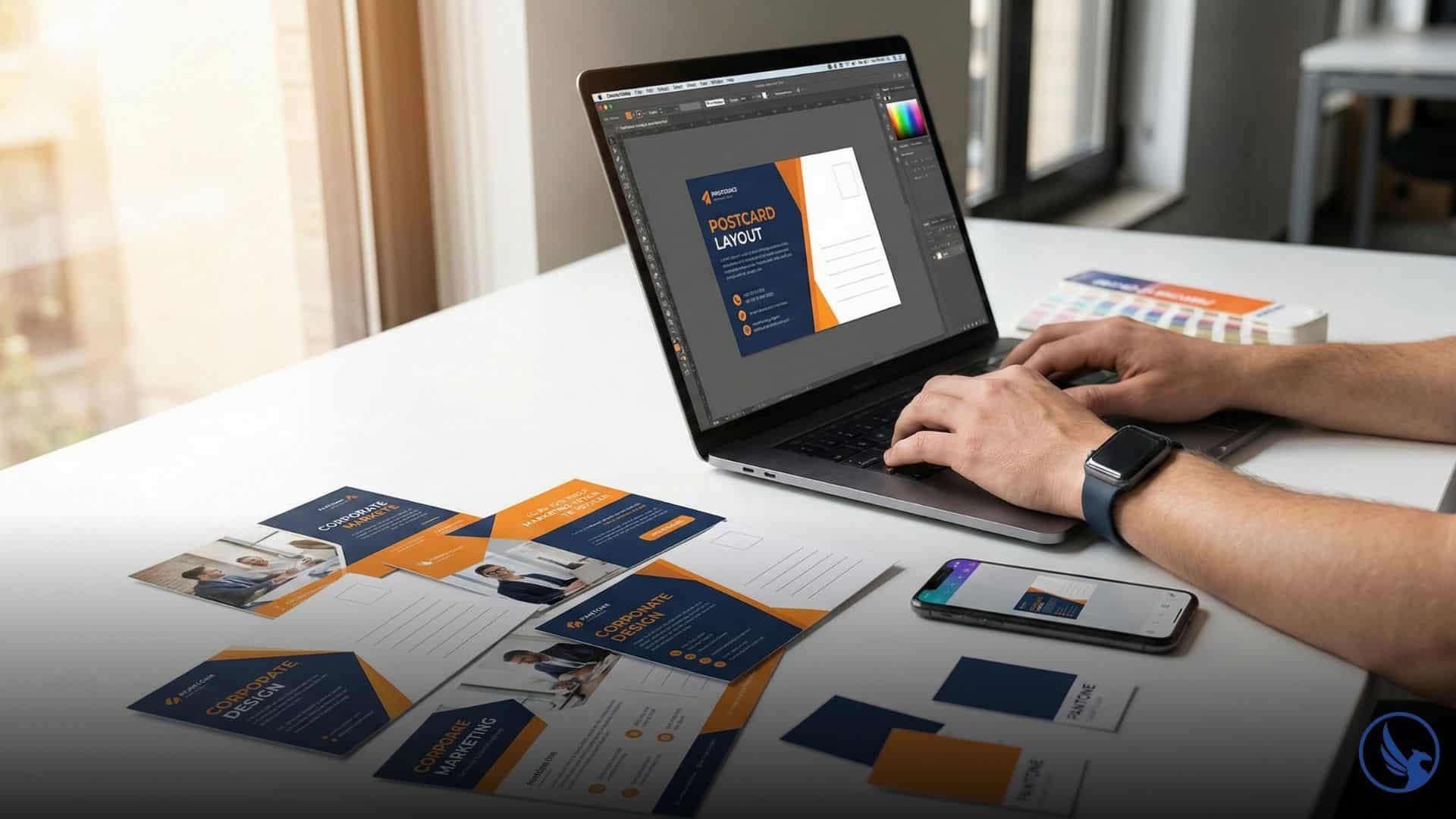
You don’t need a graphic design degree to create professional postcards that generate leads. The right postcard printing software eliminates technical barriers—handling print specifications, color modes, and bleed zones while you focus on messaging. In 2026, postcard design tools range from drag-and-drop simplicity to professional-grade control, each suited for different business needs and skill levels. Here’s how to choose software that matches your campaign goals and budget.
Postcard Design Software: Quick Comparison
Choose the right tool based on your skill level and campaign needs
- Drag-and-drop interface
- Pre-sized templates
- Stock photo library
- Auto CMYK conversion
- Complete creative control
- PANTONE color matching
- Preflight tools
- Advanced typography
- Premium paper stocks
- Spot gloss finishing
- Printfinity technology
- Superior color accuracy
- Route mapping tools
- USPS compliance built-in
- Postage calculation
- Delivery tracking
- No subscription required
- Full CMYK support
- PDF/X-4 export
- Non-destructive editing
- Guided design process
- Real-time pricing
- No file prep needed
- Budget-friendly printing
Why Generic Design Tools Fail for Postcard Printing
Photoshop and Illustrator offer unlimited creative freedom. But they assume you understand print production. Most business owners don’t know the difference between CMYK and RGB color modes, what a bleed area does, or how to embed fonts properly.
The consequences of amateur setup:
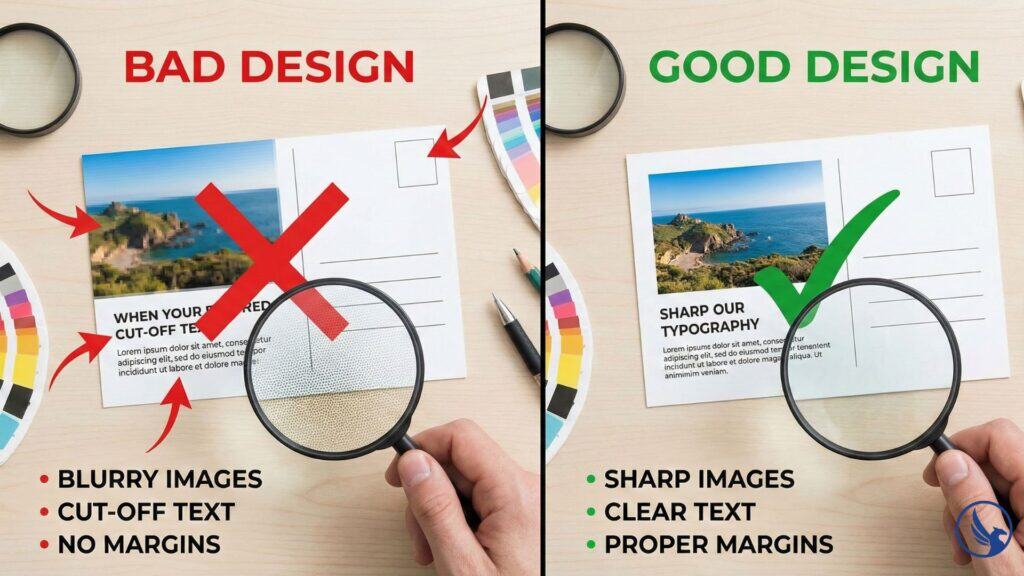
- Colors that look vibrant on screen print muddy or oversaturated
- Text positioned too close to edges gets trimmed during cutting
- Low-resolution images appear pixelated despite looking sharp on monitors
- Files rejected by printers, delaying campaigns by days or weeks
Postcard-specific software solves these problems by building print requirements into templates. You can’t accidentally create a file that won’t print correctly because the tool prevents common design mistakes.
Category 1: All-in-One Platforms with Built-In Printing
These services combine design tools with fulfillment. You create postcards and order printing through the same platform.
Canva for Print
Best for: Small businesses needing quick turnaround without design experience.
Canva dominates the accessible design space. Their postcard templates include pre-sized layouts for standard dimensions (4×6, 5×7, 6×9) with built-in bleed and safe zones.
Key features:
- Drag-and-drop interface with no learning curve
- Stock photo library included in paid plans
- Automatic CMYK conversion for print orders
- Direct ordering through Canva Print with shipping to your business or mailing service
Limitations: Template-based design means less control over precise spacing and typography. Advanced users find Canva restrictive for complex layouts.
Pricing: Free tier available; Canva Pro at $120/year unlocks premium templates and background remover. Printing costs vary by quantity and options (pricing current as of 2026; verify at canva.com).
Best use case: Real estate agents, dentists, and local service businesses running seasonal campaigns without in-house design staff.
Vistaprint Design Studio
Best for: Budget-conscious businesses willing to trade creative control for convenience.
Vistaprint’s integrated platform guides users through postcard creation with templates optimized for their printing equipment. The process is linear—choose a template, customize text and images, review proof, and order.
Key features:
- Templates matched to Vistaprint’s paper stocks and sizes
- Real-time pricing as you adjust quantity and options
- Upload your own logo and brand colors
- No file preparation needed—software handles technical specs
Limitations: Design flexibility is minimal. If templates don’t match your vision, you’ll need external software. Print quality is adequate but not premium.
Pricing: No software fees—costs are built into printing. Postcards start around $0.09 per piece at high volumes (pricing current as of 2026; verify with vendor).
Best use case: Startups and franchises needing consistent branding across multiple locations without custom design work.
MOO Design Tool
Best for: Businesses prioritizing premium paper quality and finishing options.
MOO positions itself upmarket from Vistaprint. Their design interface includes advanced features like rounded corners, spot gloss, and luxe paper stocks that elevate postcard campaigns.
Key features:
- High-end paper options including textured and extra-thick stocks
- Printfinity technology (print different designs in one order)
- Branded template libraries for maintaining visual consistency
- Superior color accuracy for photography-heavy designs
Limitations: Higher price point than competitors. Limited template variety compared to Canva.
Pricing: Printing costs start around $0.50 per postcard depending on options. No separate software fees (pricing current as of 2026).
Best use case: Boutique retailers, photographers, and premium service providers where postcard quality reflects brand positioning.
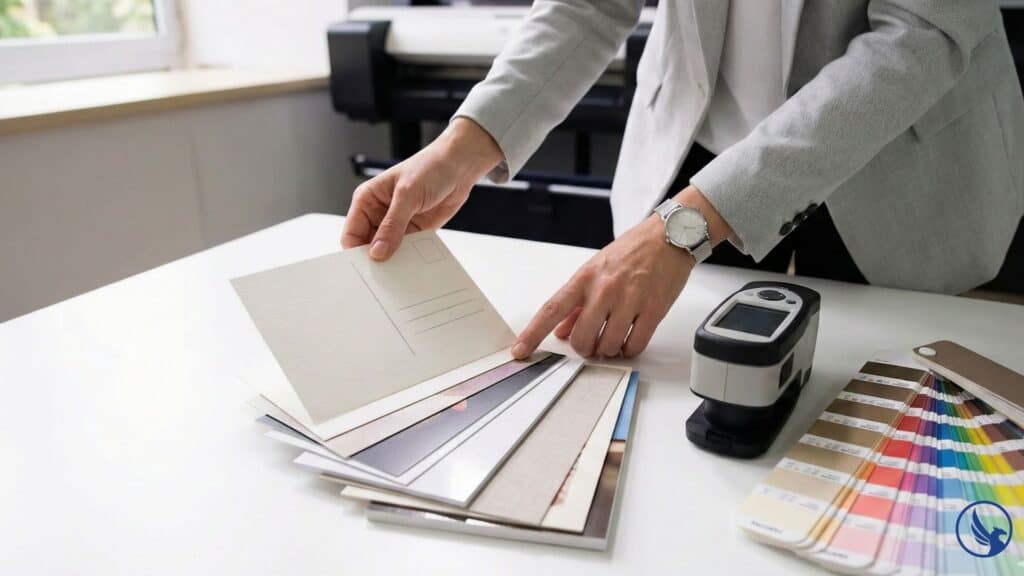
Category 2: Professional Design Software for Print Production
These tools give complete creative control but require understanding of print specifications.
Adobe InDesign
Best for: Professional designers and agencies producing high-volume campaigns.
InDesign remains the industry standard for print layout. It handles multi-page documents, precise typography, and color management that consumer tools cannot match.
Key features:
- Paragraph and character styles for consistent formatting
- PANTONE color matching for brand-specific spot colors
- Preflight tools that check for print errors before file export
- Integration with Illustrator and Photoshop for complex graphics
Limitations: Steep learning curve. Monthly subscription required. Overkill for simple postcard designs.
Pricing: $22.99/month as standalone app or $59.99/month for full Creative Cloud suite (pricing current as of 2026; verify at adobe.com).
Best use case: Marketing agencies managing campaigns for multiple clients, or businesses with dedicated design staff producing frequent mailings.
For the complete breakdown of design specifications and print setup, see our Postcard Printing Guide.
Affinity Publisher
Best for: Budget-conscious professionals wanting Adobe-level features without subscription fees.
Affinity Publisher challenges InDesign with comparable functionality at a one-time purchase price. The interface mirrors InDesign conventions, easing the transition for experienced users.
Key features:
- Full CMYK and spot color support
- Non-destructive effects and adjustments
- Bleed and margin guides built into document setup
- Direct PDF/X-4 export for professional printers
Limitations: Smaller user community means fewer tutorials and troubleshooting resources. Some advanced InDesign features missing.
Pricing: $74.99 one-time purchase. No subscription required (pricing current as of 2026).
Best use case: Freelance designers and small studios producing print work without ongoing Adobe costs.
Lucidpress (Marq)
Best for: Teams collaborating on brand-compliant postcard campaigns across locations.
Lucidpress (rebranded as Marq) sits between consumer tools and professional software. It’s cloud-based with brand management features that enforce consistency.
Key features:
- Brand templates that lock fonts, colors, and logo placement
- Team collaboration with approval workflows
- Asset library for sharing approved images and graphics
- Template lockdown prevents off-brand modifications
Limitations: Less design flexibility than InDesign. Requires internet connection for editing.
Pricing: Starts at $10/user/month; enterprise plans include brand controls and admin tools (pricing current as of 2026).
Best use case: Franchises and multi-location businesses ensuring every branch produces on-brand postcards.
Category 3: EDDM-Specific Tools
Every Door Direct Mail® has unique requirements. These tools handle EDDM® specifications and USPS® compliance.
Click2Mail EDDM Designer
Best for: Businesses running EDDM® campaigns without hiring agencies.
Click2Mail specializes in direct mail automation. Their EDDM® tool includes carrier route selection, postage calculation, and design templates pre-approved for USPS® specifications.
Key features:
- Integrated route mapping showing demographics for targeting
- Automatic indicia and address block formatting
- Postage purchase and mailing list management in one platform
- Tracking dashboard showing delivery dates and response metrics
Limitations: Design capabilities are basic compared to standalone tools. You’re locked into Click2Mail for fulfillment.
Pricing: No software fees; costs based on printing volume and postage. With current EDDM® postage at $0.260 per piece, typical all-in costs run $0.38–$0.45 per piece including printing, postage, and bundling (pricing current as of 2026; rates verified at usps.com).
Best use case: Local businesses running quarterly EDDM® campaigns to surrounding neighborhoods.
PostcardMania DirectMailManager
Best for: High-volume mailers needing end-to-end campaign management.
PostcardMania combines design services with software tools. Their platform handles everything from layout to delivery tracking.
Key features:
- Professional design services included in printing packages
- List management and segmentation tools
- A/B testing capabilities for optimizing response rates
- CRM integration for tracking leads generated by each mailing
Limitations: Higher minimum order quantities than competitors. Design revisions may incur additional fees.
Pricing: Bundled pricing—design, printing, and mailing packages start around $1,000 for 5,000 postcards (pricing current as of 2026).
Best use case: Established businesses treating direct mail as a core lead generation channel.
Category 4: Template Marketplaces and DIY Resources
If you have design skills but need starting points, template marketplaces accelerate production.
Creative Market
Designers sell postcard templates ranging from $5 to $30. You purchase once and customize in Photoshop, Illustrator, or InDesign.
Advantages: Unique designs not available in mass-market platforms. Templates include proper print setup.
Disadvantages: Quality varies. Verify templates include bleed areas and are sized for your intended dimensions.
Envato Elements
Subscription service offering unlimited downloads of postcard templates, stock photos, and fonts.
Pricing: $16.50/month for unlimited downloads (pricing current as of 2026).
Best for: Agencies and freelancers producing frequent postcard campaigns who need asset variety.
Free Tools Worth Considering
Not every business has budget for premium software. These free options deliver professional results with limitations.
GIMP (GNU Image Manipulation Program)
Open-source alternative to Photoshop. Handles photo editing and basic layout for postcards.
Strengths: No cost, fully functional for image editing, plugins extend capabilities. Download at gimp.org.
Weaknesses: Clunky interface, steep learning curve, limited typography tools compared to InDesign.
Best for: Nonprofits and bootstrapped startups with technical users willing to learn.
Canva Free
The free tier limits templates and removes some features, but for basic postcard designs it’s functional.
What you get: Standard templates, basic photo editing, limited stock library.
What you lose: Brand kit, premium templates, background remover, resize magic.
Best for: Testing postcard marketing before committing to paid tools.
Scribus
Open-source desktop publishing software similar to InDesign.
Strengths: Free, supports professional print standards including CMYK and PDF/X-3 export.
Weaknesses: Outdated interface, less stable than commercial alternatives, limited tutorials available.
Best for: Technically savvy users producing occasional print projects.
Mobile Apps for Designing Postcards on the Go
Smartphone design has improved dramatically. These apps work for simple campaigns.
Adobe Express (formerly Spark)
Mobile-optimized design tool with postcard templates. Free tier available; premium features at $9.99/month.
Key benefit: Creates print-ready files from your phone, syncs with desktop for refinement.
Limitation: Limited precision for complex layouts.
Over
Mobile design app popular with Instagram marketers. Includes postcard templates with quick customization.
Pricing: Free version watermarks designs; $9.99/month removes watermarks and unlocks premium assets (pricing current as of 2026).
Best for: Social media managers repurposing digital content for direct mail.
How to Choose the Right Tool for Your Campaign
Decision factors to consider:
Design skill level. No experience? Start with Canva or Vistaprint. Confident designer? InDesign or Affinity Publisher give full control.
Campaign frequency. Monthly mailings justify subscription costs. Annual campaigns work fine with free or one-time purchase tools.
Brand consistency needs. Multi-location businesses benefit from brand-locked templates in tools like Lucidpress.
Fulfillment integration. If you want design and printing in one workflow, all-in-one platforms like Canva Print or MOO simplify logistics.
Budget constraints. Free tools require more time investment. Paid platforms accelerate production but add recurring costs.
For small business marketing needs, starting with accessible tools and upgrading as campaigns scale makes financial sense.
Ready to move from software selection to professional printing? Request a quote from CRST for expert postcard production with guaranteed quality and fast turnaround.Call 845-255-5722 to discuss your postcard printing project and get accurate pricing based on your specifications.
Common Software Mistakes That Ruin Print Quality
Even with the right tools, errors happen. Avoid these pitfalls:
Using RGB instead of CMYK. Monitors display in RGB (red, green, blue). Printers use CMYK color mode (cyan, magenta, yellow, black). Colors shift dramatically when files aren’t converted.
Ignoring resolution requirements. Images must be 300 DPI at final print size. Lower resolution produces blurry postcards.
Forgetting bleed areas. Background colors and images must extend 0.125 inches beyond trim lines or white edges appear after cutting.
Placing critical elements too close to edges. Keep text and logos at least 0.25 inches from trim lines to prevent accidental cropping.
Not embedding fonts. If your PDF doesn’t embed fonts, printers substitute alternatives that destroy your layout.
For detailed print specifications and file setup guidelines: Postcard Printing Guide
Workflow Optimization: From Concept to Mailbox
Efficient campaigns follow this process:
Step 1: Define your message and offer. Software can’t fix unclear value propositions. Nail your headline before opening design tools.
Step 2: Select software matching your skill and budget. Don’t pay for InDesign if Canva meets your needs. Conversely, don’t force Vistaprint templates if your brand demands custom design.
Step 3: Start with templates. Even professionals use templates as foundations. They’re faster than blank canvases and include proper print setup.
Step 4: Customize strategically. Change copy, swap images, adjust colors—but preserve the template’s structural layout unless you understand print production.
Step 5: Request a proof. Most platforms offer digital or physical proofs before full runs. Invest the extra time and cost. It’s cheaper than reprinting 5,000 incorrect postcards.
Step 6: Test small batches. Print 500 pieces before ordering 5,000. Field-test response rates, then scale successful designs.
Integration with CRM and Marketing Automation
Modern postcard campaigns don’t exist in isolation. Top performers integrate direct mail with digital systems and track direct mail ROI.
Tracking response rates. Use unique URLs or QR codes for each campaign. Google Analytics UTM parameters show which postcards drive website traffic.
CRM synchronization. Platforms like Click2Mail integrate with Salesforce and HubSpot. When postcards generate leads, data flows automatically into your sales pipeline.
Retargeting coordination. Send postcards to addresses from your email list who haven’t engaged digitally. Direct mail often reactivates dormant contacts.
Multi-touch attribution. Postcard campaigns work best alongside email, social ads, and phone outreach. Software that tracks touchpoints across channels reveals true ROI.
Start Your Postcard Printing Campaign
The right software removes technical obstacles between your message and your market. Whether you’re a solopreneur using Canva or an agency running InDesign, tools exist at every skill level and price point.
Start with what matches your current capabilities. As campaigns scale and complexity increases, upgrade to platforms with advanced features.
The businesses winning with postcard marketing don’t wait for perfect tools. They start with good-enough software and optimize through testing.
For full design specs, material certifications, and print specifications: Postcard Printing Guide